 Speedy Bonding
Detects usable interfaces
Finds non-virtual IPv4 interfaces (Wi-Fi, broadband/RAS, Ethernet, mobile links) and re-scans them while the proxy is running. Self-assigned 169.254.x.x addresses are excluded.
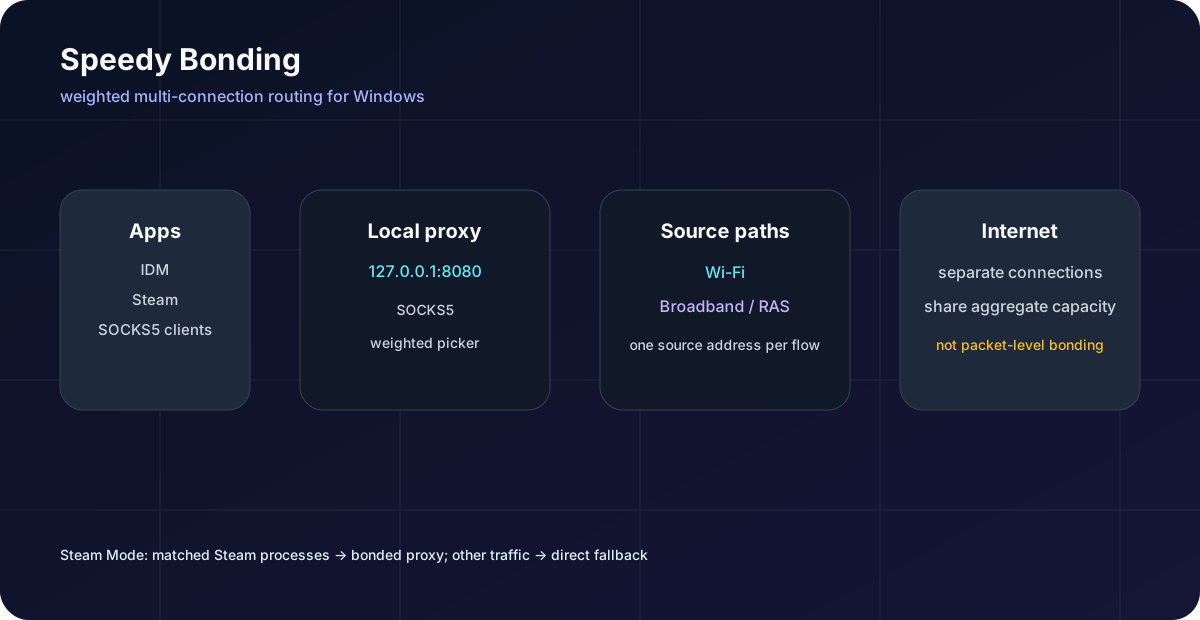
Speedy Bonding is a Windows desktop SOCKS5 load balancer for using multiple Internet connections with IDM, with optional Steam-only routing. Wi-Fi, broadband, Ethernet or mobile links become one local proxy at 127.0.0.1:8080.
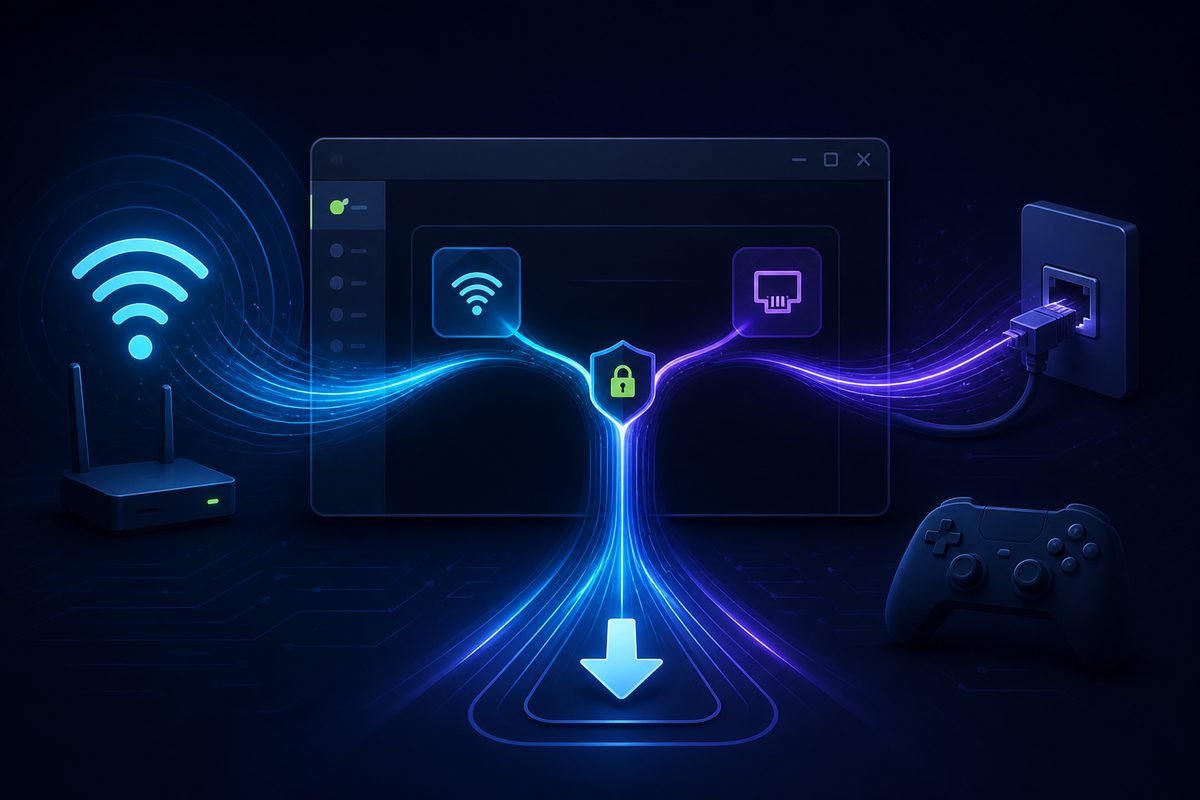
Illustration: separate connections share the load. Weights shown (50/30/20) are an example you set yourself; they must total 100%.
Honest by design: this is weighted connection load balancing, not packet-level multipath bonding. A single TCP connection stays on the interface where it started. IDM and Steam can benefit when they open several concurrent connections, but the byte split will not always be exactly 50/50.
What it does
Each new proxy connection is bound to a selected source address, so multi-connection applications can use more than one path at once.
Finds non-virtual IPv4 interfaces (Wi-Fi, broadband/RAS, Ethernet, mobile links) and re-scans them while the proxy is running. Self-assigned 169.254.x.x addresses are excluded.
Opens a SOCKS5 server on 127.0.0.1:8080 (port is editable in the app). No username or password, and it is not exposed to your network.
Assign a percentage to each connection; the total must equal 100%. Tune it to match your line speeds, or click On for an equal split across usable connections.
Outbound TCP and UDP relay sockets are bound to the selected local IPv4 address, so each connection leaves through the interface you chose.
Routes steam.exe, steamwebhelper.exe, steamservice.exe and GameOverlayUI.exe through the bonded proxy while other traffic stays direct.
The normal Local Proxy workflow stays available for IDM and any other SOCKS5-aware application. Set IDM to SOCKS5, host 127.0.0.1, port 8080.
How it works
Applications talk to one local SOCKS5 address. For every new connection, Speedy picks a source interface according to your percentages and keeps that connection on it.
Turn Local Proxy on and set IDM (or any SOCKS5 client) to 127.0.0.1:8080.
A weighted picker assigns each new connection to one interface using your percentages.
Outbound TCP and UDP relay sockets are bound to that interface's local IPv4 address.
When IDM opens several connections, they spread across paths. Steam Mode adds a process-aware TUN layer in front of the same proxy.
Steam Mode
Steam Mode is an optional, process-scoped Windows TUN route placed in front of the same local SOCKS5 load balancer. It detects that Steam is running and routes matching Steam processes whenever they generate traffic. It is process-aware, not download-aware.
bonded proxy; the final route for non-Steam traffic is direct.SpeedyGlobal adapter exists only while Steam Mode is active.npm run prepare-runtime.The app
A single Electron window with a port field, an On/Off switch for Local Proxy, a Steam Mode switch, a percentage per connection and a live proxy log.
Connections
Click On to automatically split traffic across usable connections. Use IDM with SOCKS5 proxy 127.0.0.1:8080.
Steam Mode
Steam client uses bonded Wi-Fi + broadband
Log
Quick start
Requirements: Windows 10/11, Node.js 20+, npm, and two or more usable IPv4 Internet paths. The README documents running from source; it is a public preview, so test with a small download first.
PowerShell
git clone https://github.com/MHJoy99/speedy-bonding.git
cd speedy-bonding
npm ci
npm run prepare-runtime
npm run lint
npm run start
prepare-runtime fetches the pinned, checksum-verified sing-box runtime used by Steam Mode.
127.0.0.1, port 8080.npm run lint
npm run typecheck
npm run packageInspect the Steam Mode log:
%APPDATA%\Speedy Bonding\global-mode\sing-box.logoutbound/socks[bonded] means a matched Steam connection used the bonded proxy. outbound/direct[direct] means it followed the direct fallback.
Limitations and safety
Taken from the project's own README. It is a public preview.
It does not create a single bonded tunnel. For that, use a multipath VPN or a server-assisted bonding product.
Windows must have a real IPv4 address and route for an interface to be usable; an APIPA address such as 169.254.x.x is excluded.
The unauthenticated SOCKS5 listener binds to loopback only. Do not change it to 0.0.0.0 without adding authentication and a firewall policy.
Steam Mode requires elevation to create and remove its temporary TUN adapter. Games are not automatically included just because Steam is.
Use responsibly: respect the terms of your Internet providers and of the services and apps you use with it. Test with a small download before relying on it for a long transfer.
FAQ
No. It is a local weighted SOCKS5 proxy that distributes separate outbound connections across eligible IPv4 interfaces. A single TCP connection remains on the interface selected when it starts.
For packet-level bonding, the README points to a multipath VPN or a server-assisted bonding product.
Enable Local Proxy, then set IDM to SOCKS5, host 127.0.0.1, port 8080, with no username or password. IDM downloads with multiple connections can then use multiple selected paths.
Only when the application opens multiple connections. Speedy does not split one TCP flow packet-by-packet, and it cannot guarantee an exact 50/50 byte split or a specific speed increase.
Steam Mode is an optional process-scoped Windows TUN route. It matches Steam-related processes (steam.exe, steamwebhelper.exe, steamservice.exe and GameOverlayUI.exe) and sends their traffic through the local SOCKS5 load balancer while other traffic stays direct.
Turn Local Proxy on first, then Steam Mode, and approve the Windows administrator prompt. Pause and resume a download afterwards so Steam creates fresh connections.
It detects usable, non-virtual IPv4 interfaces (Wi-Fi, broadband/RAS, Ethernet or mobile links) and re-scans them while the proxy is running. Virtual adapters such as vEthernet, TAP-Windows, VPN and WSL adapters are skipped, and so are interfaces with only a self-assigned 169.254.x.x address.
You then assign each connection a percentage; the total must equal 100%.
No. The SOCKS5 listener binds to loopback only (127.0.0.1, default port 8080) and has no authentication. The README warns not to change it to 0.0.0.0 without adding authentication and a firewall policy.
Only for Steam Mode. It requires elevation to create and remove its temporary SpeedyGlobal TUN adapter. The normal Local Proxy workflow for IDM does not use that adapter.
Steam Mode routes the Steam client processes. Steam games are not automatically included just because Steam is, so add and verify game executable names before claiming game traffic is bonded.
To check, open %APPDATA%\Speedy Bonding\global-mode\sing-box.log: outbound/socks[bonded] means a matched connection used the bonded proxy, and outbound/direct[direct] means it went direct.
The README documents running from source on Windows 10/11 with Node.js 20+ and npm: npm ci, npm run prepare-runtime, npm run lint, then npm run start. It also lists npm run package for packaging, and it does not mention a prebuilt installer. The project is a public preview, so test with a small download first.
It is a maintained fork of the open-source RezaRafia/Speedy project. The original project and its author are credited; the repository contains MHJoy99's Windows routing, SOCKS5, Steam Mode, packaging and documentation changes. It is MIT licensed.
More by MHJoy99
More at github.com/MHJoy99.
Free and open source under the MIT license. Read the code, run it from source, and tune the weights to your lines.